Laser Line Projectors for Industrial Safety Zone Marking
A painted floor line tells workers where the danger zone was when the line was last repainted. A laser line projector tells them where it is right now — projected onto the concrete, moving with the machine, bright enough to read against a busy warehouse floor. For safety managers and AGV integrators evaluating how to mark exclusion areas around moving equipment, the laser line projector has moved from novelty to a serious alternative to paint, barriers, and standing signage. This explainer covers how the technology works, where it beats a painted line, which projection type fits which hazard, and the laser line projector safety paperwork a buyer should see before specifying one.
Key Takeaways
- A laser line projector casts a straight, high-visibility line onto the floor or a surface to mark a boundary that can move with the machine — a dynamic hazard demarcation paint and tape cannot match.
- Line, spot, and area/dynamic projections answer three different jobs: a line marks an edge, a spot marks a point (a corner or corner-of-truck), an area projection fills a zone.
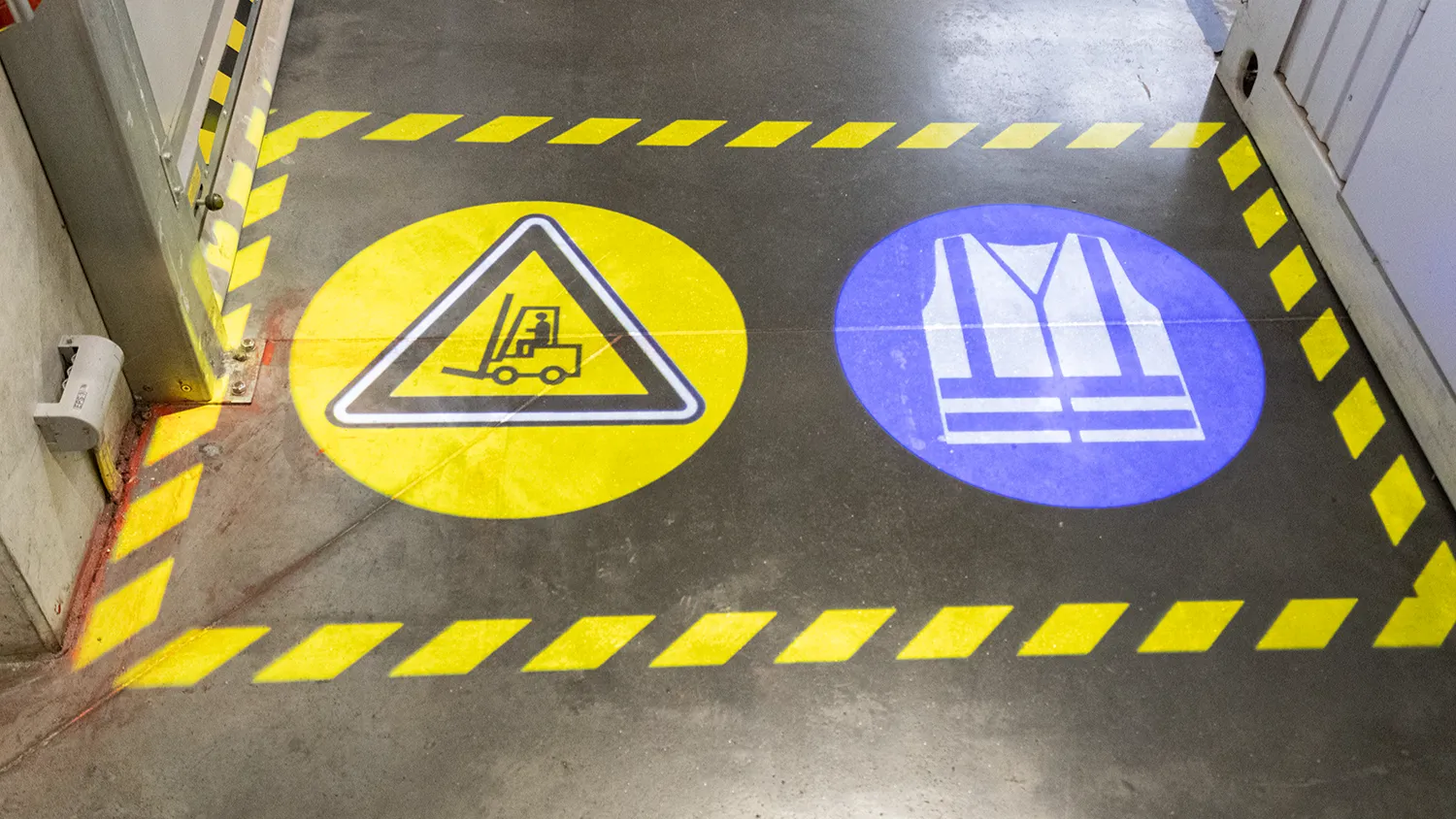
- Red conventionally marks exclusion and green marks a permitted walk corridor, so the floor display can carry meaning, not just light.
- The technology wins wherever hazards move or layouts change — forklift travel paths, crane footprints, AGV lanes, robot cells, and door/crossing conflict points.
- Because it is a laser product, a compliant projector comes with a photometric classification (laser safety and optical-radiation testing); request that documentation for the exact model as part of the purchase file.
How a Laser Line Projector Marks a Safety Zone
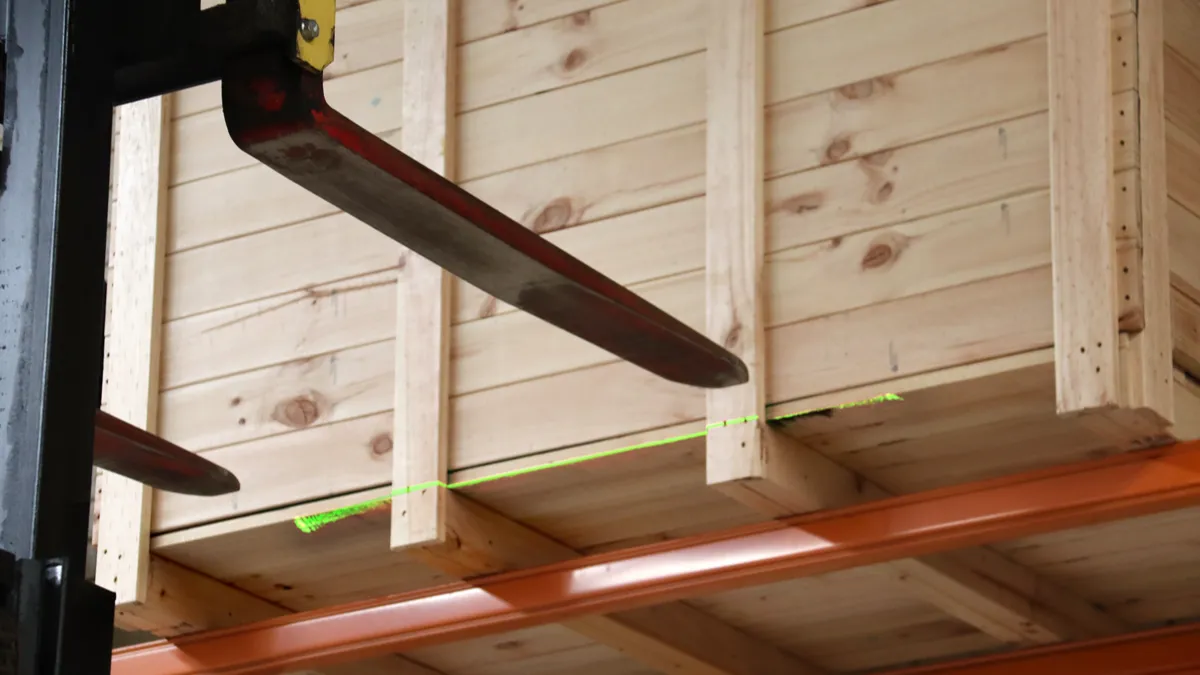
The core of a safety-zone laser line projector is a laser diode — usually red or green — driven at low power and passed through a line-generating optic (a cylindrical lens or diffractive element) that smears the beam into a thin, flat fan of light. Instead of a dot, the fixture throws a straight line across whatever surface it lands on. Mount it high and aim it down and the line appears on the floor; as the machine the fixture rides on moves, the projected line travels with it.
Two properties make that useful for safety. First, the line is collimated and bright per unit area, so it stays visible under ambient warehouse lighting where an ordinary projected image would wash out. Second, it is non-contact and repositionable — no trip hazard, no floor penetration, nothing to repaint, and no waiting for the paint truck. The boundary is defined by optics and mounting geometry, which is exactly what you want around a hazard that keeps moving.
Why a Projected Line Beats a Painted One
Floor paint is the default for a reason: it is cheap and everyone understands it. But it has three failure modes that a projected line does not share.
- Paint is static; hazards are not. A hatched exclusion zone only covers the area it was drawn around. The instant a load swings past that line, or a robot cell reconfigures for a new part, the paint is describing an out-of-date hazard. A projector tied to the machine tracks the real-time boundary.
- Paint wears and disappears. Forklift traffic, pallet drags, scrubbers, and chemical spills degrade lines fastest exactly where traffic is heaviest — the line you can least afford to lose goes first.
- Paint does not signal status. A painted line says “watch out here always.” A laser line can say “danger right now” by firing only when the machine is live, which is a far stronger behavioural cue and avoids the habituation that makes workers tune out permanent markings.
Paint is not obsolete — standing hazards still want permanent demarcation. The mature approach layers them: static paint for fixed zones, projected lines for moving and changing ones.
Line, Spot, and Area: Three Projection Jobs
Under the loose label “laser safety projector” sit a few distinct tools, and picking the wrong geometry is a common specification miss.
Line projectors mark an edge or a travel corridor. Run a line along the outside of an AGV lane, across a doorway a robot will exit through, or around the working envelope of a machine. This is the zone-marking workhorse.
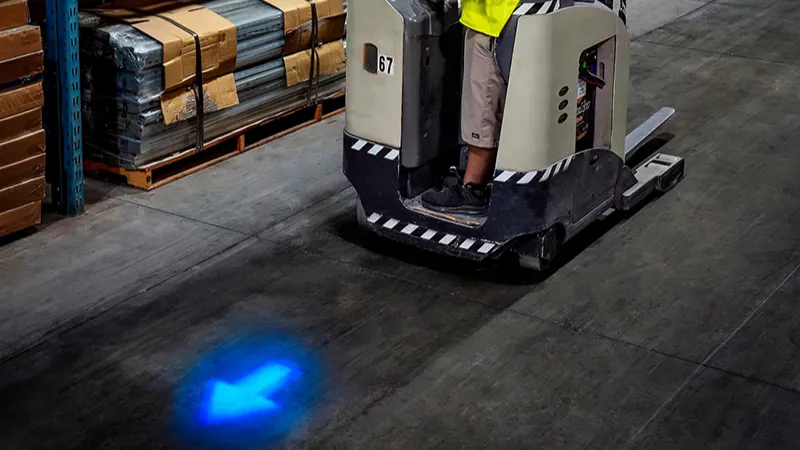
Spot (point) projectors mark a single high-visibility point. The best-known example is the blue or red spot lamp projected onto the floor ahead of and behind a reversing forklift — it flags the truck’s presence and direction without needing a line. Spot and line are complements, not competitors.
Area and dynamic projections fill or animate a zone — a hatched rectangle under an overhead crane’s load block, or a widening ring that grows as a person approaches a hazard. These carry more information but cost more and are sensitive to mounting and alignment.
The Application Map: Where Projected Zones Earn Their Keep
Forklifts and powered trucks
Around forklift traffic the highest-value use is marking conflict points — blind corners, dock edges, pedestrian crossings — with a projected stop-line or lane edge that pedestrians read as a physical boundary. Blue spot and red/green zone lights already do presence and direction; a line projector extends that to “do not step past here.” For facility managers aligning to powered-industrial-truck duties under OSHA 1910.178, projected demarcation supports the traffic-management plan the standard expects.
Overhead and gantry cranes
The classic laser case: a projector on the trolley paints a moving exclusion rectangle on the floor directly under the suspended load. Pedestrians get a live footprint to stand behind, and the operator gets a floor reference for load placement. Because the line tracks the hook across the travel envelope, it covers the exact hazard paint never can.
AGVs and autonomous mobile robots
Automated fleets share aisles with people, and an AGV cannot lean on a horn and eye contact the way a human driver does. Laser lines projected from the vehicle mark its current path and stopping zone, giving workers a visible “this machine is coming” cue that scales with an autonomous fleet. This is one of the fastest-growing applications, covered in depth in the companion piece on AGV laser guidance.
Machine and robot cells
Instead of fixed guarding around a work envelope that changes with the program, a line projector can mark the safe boundary at the cell edge, and re-flash or relocate when the cell mode changes. Where a barrier would block material access, a projected line keeps the area open but legible.
Designing the Layout: Mounting, Throw, and Colour
Three variables decide whether a projected line actually works on the floor.
- Mounting height and angle. The line’s length and thickness on the floor are set by throw distance and incidence angle. Too low and the line shortens and dims; too high and a low-mounted fixture risks the beam crossing eye level. Aim the projection downward and above normal head-touch reach wherever possible.
- Ambient light and surface. Polished, reflective, or very dark floors change how a line reads. Spec the projector for the worst-lit and brightest-sunlight-by-the-dock case, not the ideal aisle.
- Colour semantics. Standardise the grammar across the site: red for exclusion nobody should cross, green for permitted walk corridors, and keep it consistent so a worker or contractor reads any line the same way. Post the legend at entry points.
Laser Safety and the Documentation to Demand
Because these are laser products, eye safety is a real specification item, not a formality. Laser devices are classified for safety under the IEC 60825 framework — the class reflects accessible emission and how the beam must be treated — and lamps and light sources are additionally assessed for optical-radiation (photobiological) hazard under standards such as EN 62471. Well-designed zone projectors use a class chosen for downward projected-line duty, mounted above eye level so the beam is never directed into a viewing position, and they ship with the relevant classification and test documentation.
For a buyer, the discipline mirrors any other certification check: ask the supplier for the laser classification and photobiological test documentation for the exact model, confirm the intended mounting keeps the projection out of eye-line, and keep the documents in the purchase file. XRLL builds its laser line and zone projectors alongside its wider warning-light range — sealed, IP-rated housings, OSRAM and Cree light sources, and QC from incoming inspection through final release — and provides model-specific documentation on request, which is exactly the answer you want from any supplier when you raise the classification question.
How Laser Line Compares to the Alternatives
| Criterion | Laser line projector | Blue/red spot light | LED strobe/beacon | Painted floor line |
|---|---|---|---|---|
| Marks a boundary | Yes — a precise line/edge | No — a point | No — presence only | Yes — static edge |
| Tracks a moving hazard | Yes | Yes (presence) | Alerts, no geometry | No |
| Carries status | On/off with machine | On/off with machine | Flash = active | Always the same |
| Maintenance | Lens clean + alignment | Low | Low | Repaint cycle |
| Best role | Dynamic zone edge | Vehicle presence | Motion alarm | Fixed standing hazards |
No single row makes one technology the winner, because they are doing different jobs. The plants that get the most from a laser line projector deploy it precisely where the table says it wins — a dynamic edge on a moving hazard — and pair it with spot lights and strobes for presence and motion.
Bringing the Technology Into a Real Plant
A pragmatic rollout: pick one high-consequence, moving hazard — a crane footprint or an AGV lane at a pedestrian crossing — rather than demarcating the whole building at once. Mount and align a single projector, run it tied to the machine’s live status, and give the floor a colour legend. Measure near-misses and line-crossing behaviour for a few weeks, then extend to the second and third conflict point. Because the boundary is optics rather than paint, adding the next zone is a mounting job, not a resurfacing job.
Marking Exclusion Zones Around Moving Equipment?
Send XRLL the hazard you want to demarcate — crane footprint, AGV lane, forklift crossing, or robot cell — along with mounting height and floor condition. You will get a projection layout recommendation, the relevant laser and photobiological documentation for the proposed models, and a quotation within 24 hours. OEM and ODM support is available for custom line, spot, and area patterns.
Email: service02@xrlledlight.com | Phone/WhatsApp: +86-15818025687
Frequently Asked Questions
Are laser line projectors safe to use around people on a factory floor?
When specified and mounted correctly, yes. Zone projectors use a laser safety class chosen for downward projected-line duty and are installed above eye level so the beam strikes the floor, not viewers. Confirm the model’s classification documentation and follow the mounting guidance; do not aim any projector across eye height along an aisle.
Does a projected line replace painted floor markings?
No — it complements them. Paint remains the economical choice for fixed, always-present hazards. The projected line earns its place on hazards that move or change: crane footprints, AGV paths, reconfiguring cells. Most mature sites keep static paint for standing zones and add projection for the dynamic ones.
What is the difference between a laser line and a blue spot light?
A line marks an edge or boundary you should not cross; a spot marks a single point, most often the presence and direction of a moving vehicle. They solve different problems and frequently run together — the spot says “a truck is here,” the line says “the safe boundary is here.”
Will the line stay visible in bright warehouse lighting?
A properly specified projector stays readable under normal industrial lighting and near daylight at dock doors, because the line optic concentrates the beam into a thin, bright band. The failure case is polished or black floors that swallow or scatter the line. Test the actual surface and ambient worst-case before you roll out a whole zone, and choose red or green to contrast with the floor colour.
How much maintenance does a laser line projector need?
Less than paint, but not zero. The two routines are lens cleaning — dust and oil mist dim the line gradually — and a periodic alignment check so the projected boundary still sits where the hazard is, especially on equipment that travels. Fold both into the machine’s existing inspection round; a sealed, IP-rated housing reduces how often either is needed.


